






Manage my booking
Manage a booking, request a special meal, select a seat, book an additional service, update personal details?
All this is possible thanks to the manage my booking flow!
Change or add your personal information:
- Change your date of birth and nationality;
- Change or add your Flying Blue number;
- Complete your personal contact information so that you can be reached if your trip changes;
- Update your valid passport number.
Complete your booking:
Tailor your journey:
- Extra baggage
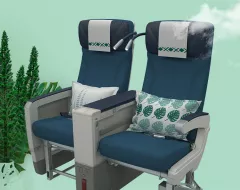
- Seat selection
- Travel insurance
- Lounge access
- À la carte menu
- Environmental contribution
- And so much more!
Discover all our additional services.
Track your expenses:
- Upload your payment receipt and view the breakdown of the charges associated with your booking.
Change your booking:
To make changes, your ticket must be changeable with or without a fee (please refer to your ticket's fare conditions).
- Change your travel dates and classes;
- Changes apply to all passengers in your booking file;
- Please check if there are flights to your final destination on the new date selected;
- You will then receive a new electronic ticket.
Cancel your booking:
Need to cancel your booking due to unforeseen circumstances?
Please follow the below steps:
- First, contact us to cancel your booking
- Once your booking is cancelled you can then request a refund, please fill in the dedicated form here
Any request for cancellation and refund of a ticket purchased from a travel agency other than Aircalin office (or online) must be made directly with the travel agency concerned.
A la carte services
Your trip according to your needs!






Our destinations
Australia

Visiting France: cities and regions

New Zealand

Tahiti

Traveling to Japan from New Caledonia

Visiting Singapore from New Caledonia

Bali

Travel to Fiji Islands

Walis and Futuna Travel Guide

Visit Los Angeles in California

Visit Hawaii: Pacific Archipelago

Thailand

Travel to Vanuatu: 1 hour from New Caledonia

Visiting Hong Kong: Asia at its Peak